

- Published on
Volcango Devlog 3: Designing Gods
- Authors

- Name
- H McGill
 Want to try out this game while we're still testing it? Join the Chromokun Discord!
The Nightmare of Learning to Animate
Prior to Volcango, I could not call myself an animator. I knew about some of the basics: Ease ins, ease outs, basic draftsmanship, and in-betweens… But I was uncomfortable with tween-based animations. I anxiously avoided Flash/Adobe Animate for decades. I could draw frames by hand, sure, but then this tiny game that only offers 15 minutes of play per round would take years and years to assemble. Plus, I didn’t want such a small game to bloat up someone’s harddrive with giant sprite sheets.
Enter Esoteric Software’s Spine2D.
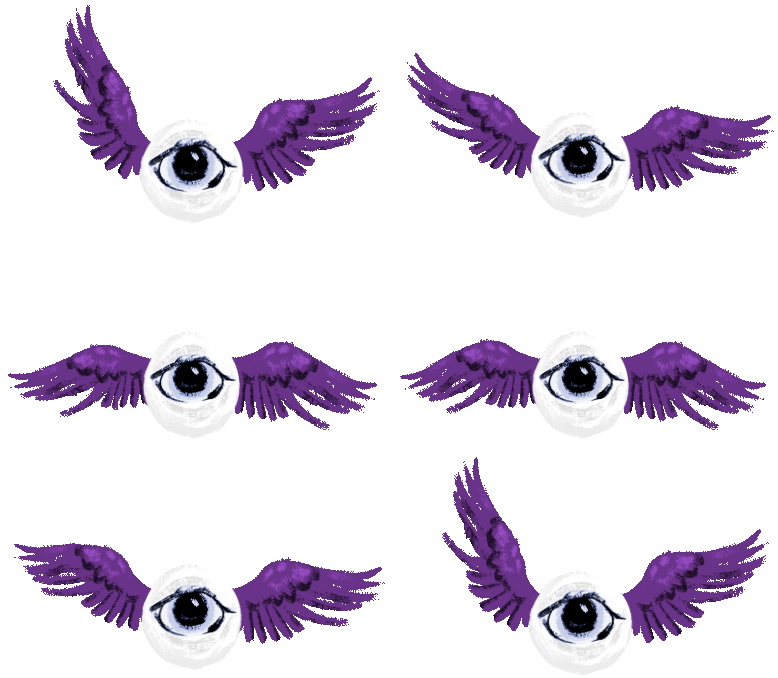 My friend and animation/art direction mentor Sarah Dungan gently restrained me, Clockwork Orange style, to show me how to rig and test-animate 2D art assets in this bone-based animation software. Sarah even made the above eyeball angel just for me, because they are aware of my tastes. Thank you, Sarah.
 I cautiously grabbed the ‘Essential’ ~$30ish version of Spine, since I didn’t know enough about bone-based animation to understand which quality-of-life upgrades I’d be missing in the full Pro version. This turned out to be just fine for experimenting with a drawing of a bee based on a charmingly weird medieval rendition. As you can see, I was scared about transforming bones 'too much' or making them seem exaggerated. I would have to get over this fear, and fast, if I wanted anyone to actually notice how much I'd animated.
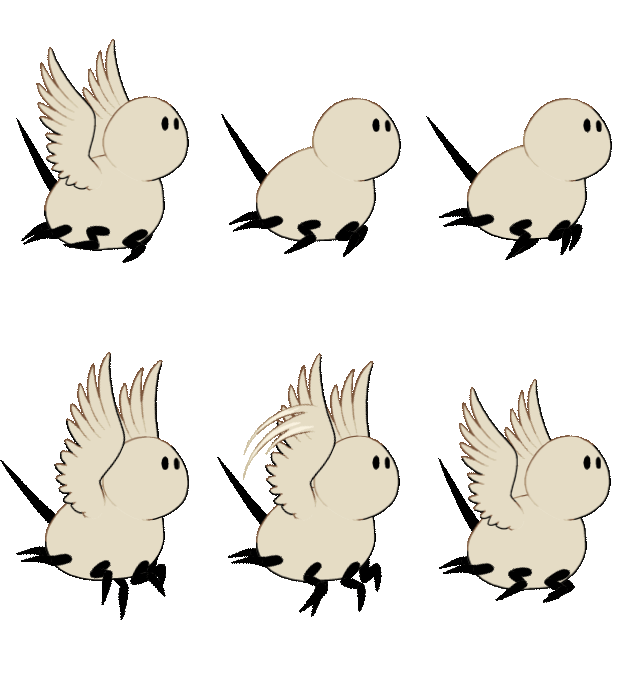 This side-view bee I developed afterwards has a ‘flapping’ animation as well as a ‘blinking’ animation, just like how Sarah showed me with the tiny angelic eyeball friend. It only uses basic transforms and a few attachment keyframes, but it’s functional enough. This was also the very first time that I handed a JSON, .png, and .atlas file over to Devin!
 So… Remember Flappy Bird? That weird little offbrand Nintendo asset-flip app on iPhone that made a horrific amount of money in 2013? Turns out, Devin really enjoys programming Flappy Bird. He can turn anything into a Flappy Bird game, including office software (although ‘App-y Bird’ isn’t relevant, as delightful as it is). I drew up background elements, flowers, typography, and a big manicule, and soon, we had....
After releasing apis Volat. for freeon Itch, we discussed Spine2D. Since I had a handle on the basics, I earned the professional version to use in bigger game projects. Yay. Best of all, buying Spine2D once means it’s a lifetime purchase, no subscription!
What to Rig First?
Sure, I could rig a medieval bee and give it one looping animation. However, what was I going to do when I needed a rig that could do multiple animations? About a half-dozen animations, even? Wait. Maybe I didn’t have to commit to a really complicated rig right away. What was something big, simple, and exciting that I could do?
Tyrannosaurus Rex God
A tyrannosaurus made of lava fit the bill.
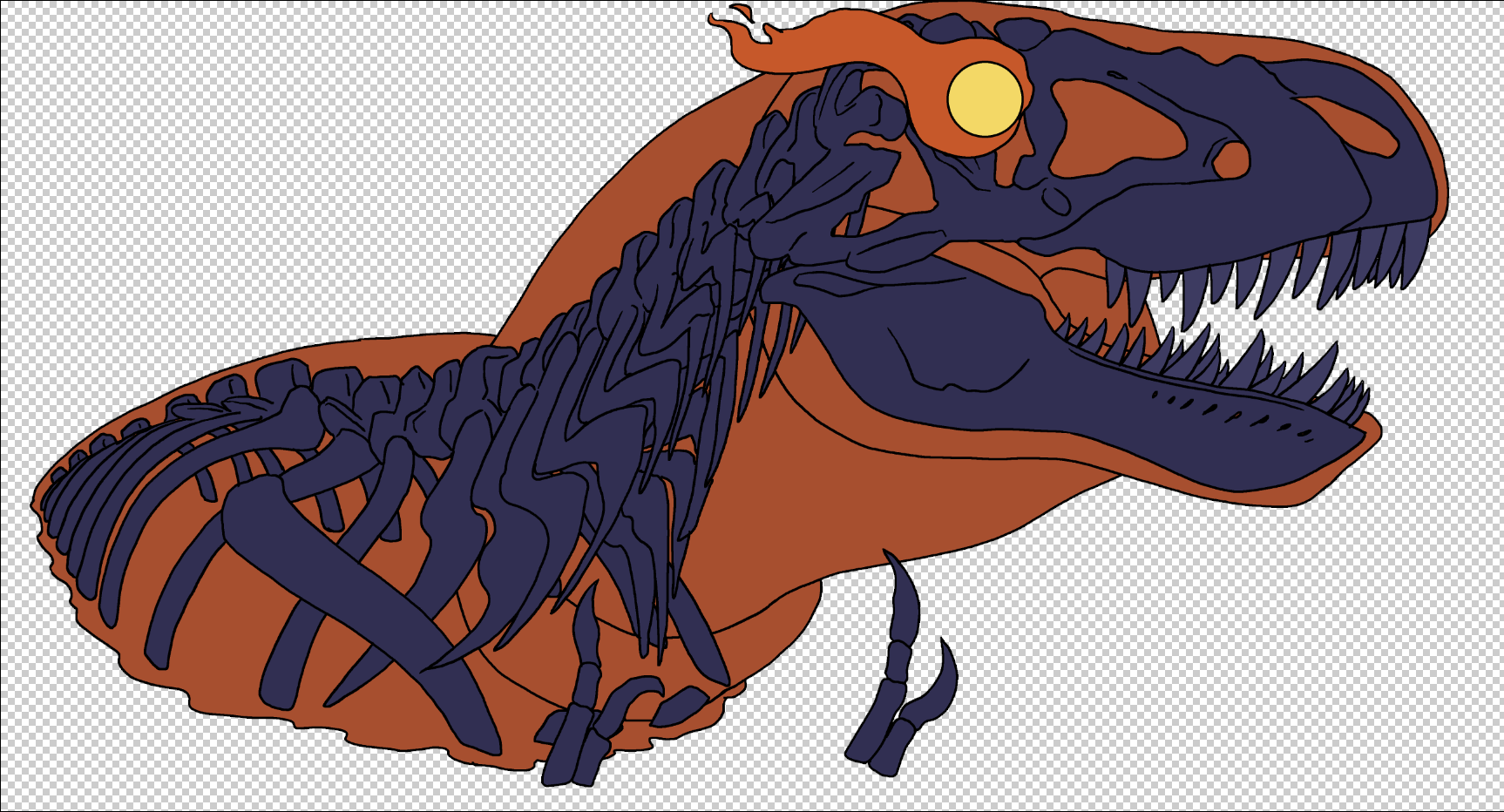 First, I sketched out a tyrannosaurus based on skeletons I could look at online. This is actually easier than reconstructing the dinosaur like it’s still alive, since I can eyeball each bone and copy it neatly without inventing fat or muscle. After that, I created lineart on separate layers and colored in lava and bone using a strict color palette.
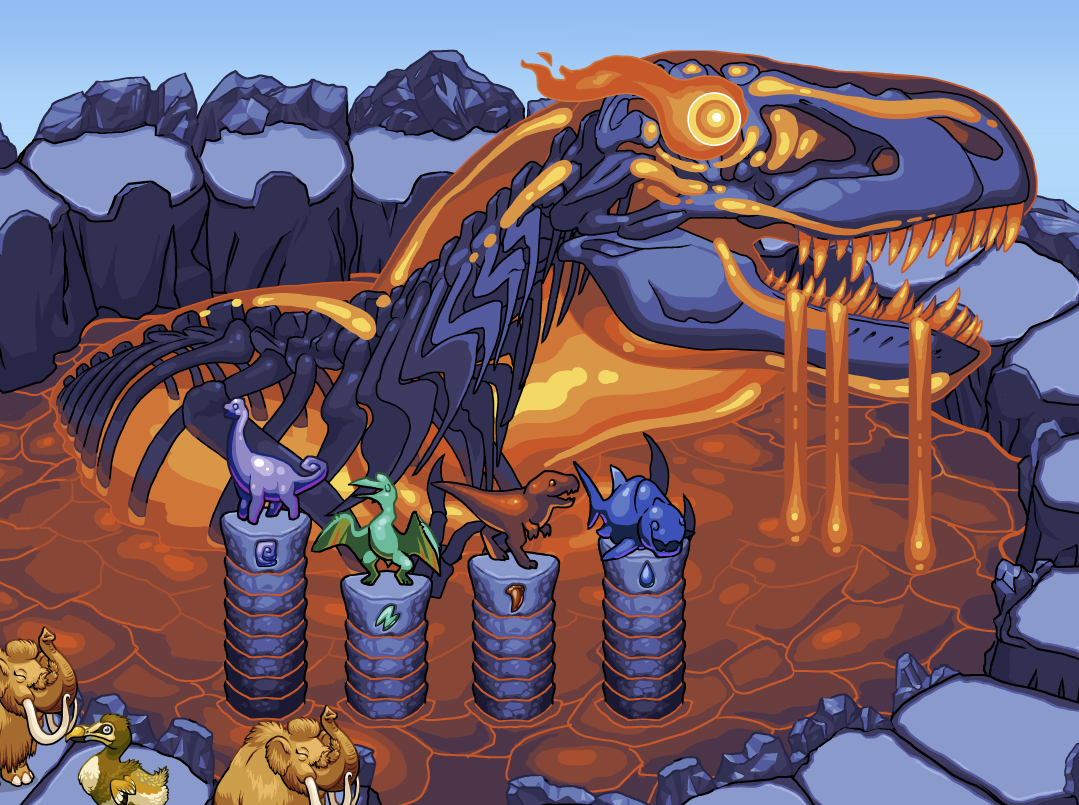 The lava is very intense and bright red on its own. I used a color blending tool to give it some yellow to really make it hot. The blue bones were chosen specifically to ‘vibrate’ against the red a little bit, but in a hot way and not an ‘I don’t understand color theory’ way. These bones also had their colors run through a color blending tool to generate concrete ‘steps’ in intensity. Shadows pull towards the environmental light which is blue, and highlights lose their saturation the closer they are to the light source. I had actually pulled both the blue and the red colors from the initial drawing of the volcano itself to relate the gods to their home. Most of the color stepping was done specifically for the gods and then applied to the background after the fact.
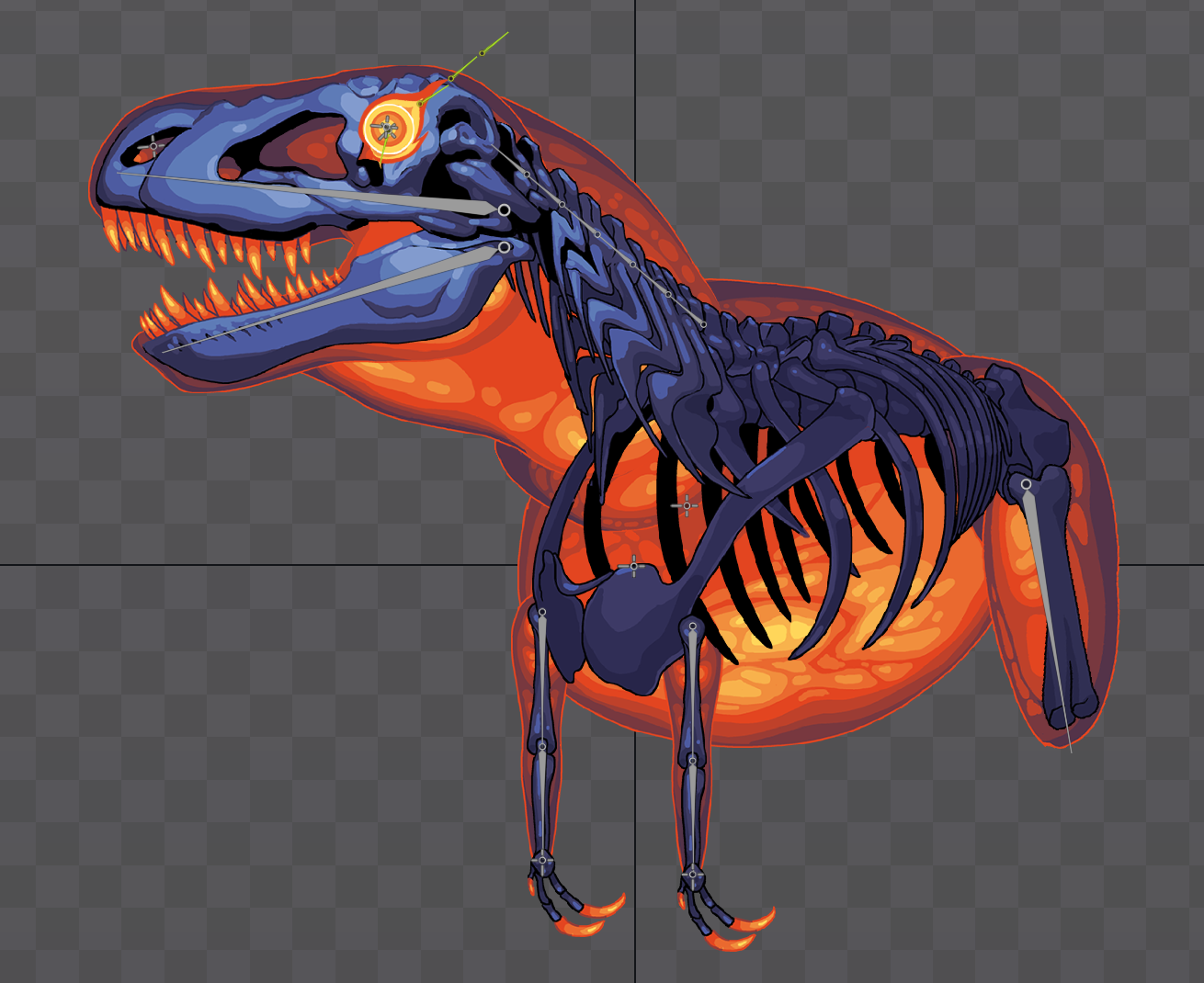 Cautiously, I put Rexy together in Spine2D. The lava parts are separate from the skeleton, although they’re all rigged to the same bones. I experimented with weighted meshes for the first time and understood them a little bit, but not fully. I had half a mind to animate the lava separately from the bones, and even have some of it drooling/dripping down Rexy’s body, but this amount of detail turned out to be unnecessary in an animation that would last one, maybe two, seconds at the most. I also had to rework his body and give him gorgeous thighs (but legs weren't necessary...)
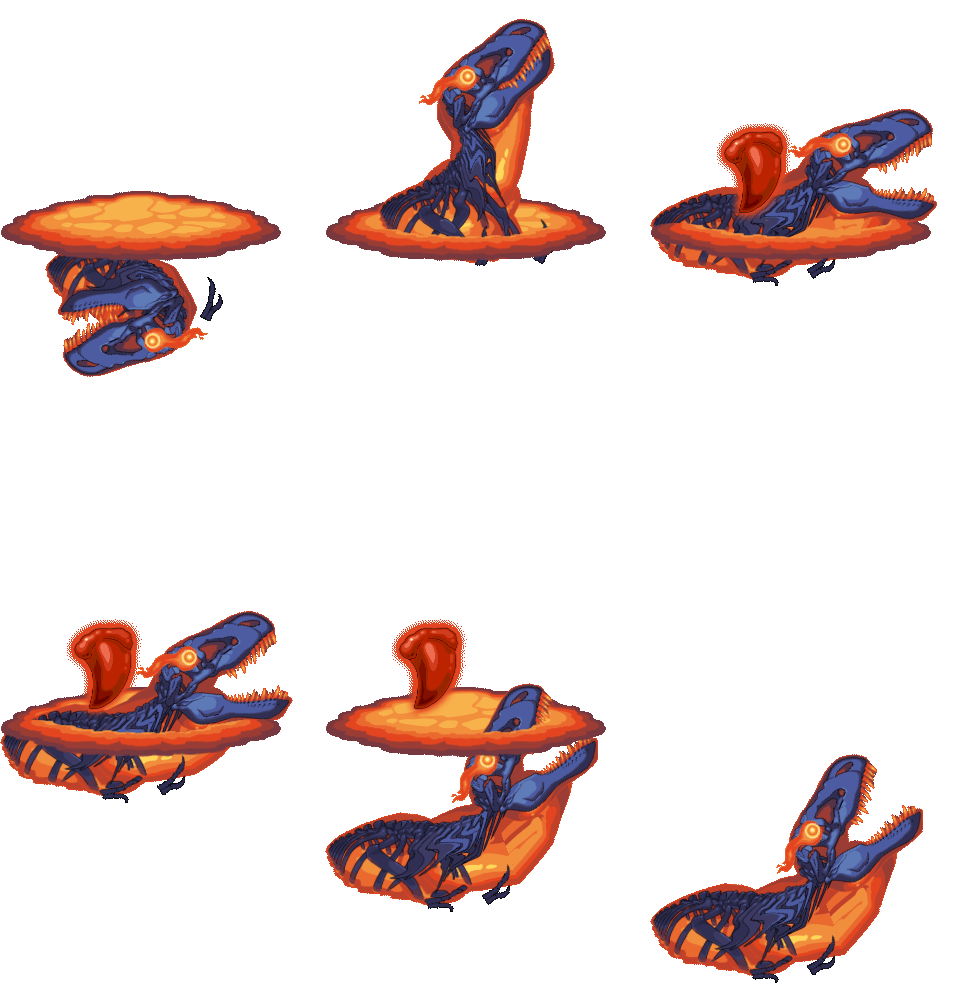 For a long time, every god in Volcango was represented by a 2D png of Rexy rising out of a clipping mask. It felt very good to finally get the first animation in, even though it was not quite what I wanted it to be.
If I were to re-do Rexy knowing what I know now, I would also give the lava some internal ‘pulsing’ animation and some physics constraints to tug on the bottom of the lava meshes whenever it moves.
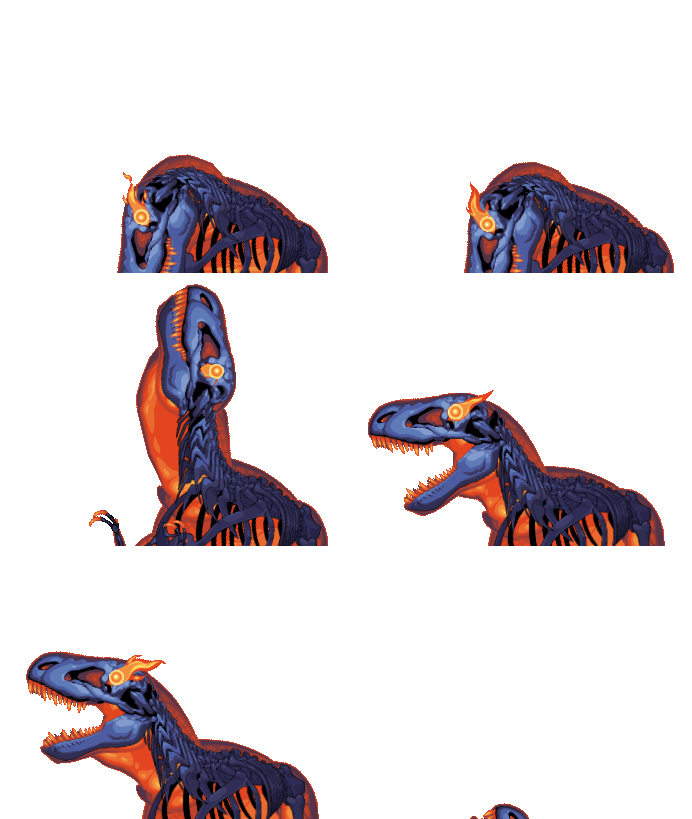 The animation took a few tries to get really good but it was simpler to put together than I expected.
 Let’s just say that having motion reference really helped.
Quetzalcoatlus God
The next god I designed was Quetzy, the green quetzalcoatlus god. This god is the most aggro of all the gods and as a result, players are most likely to see it as their first volcano god encounter, and as a god who might repeat its appearance in a single play session. For reference, Quetzalcoatlus is a very very big pterosaur, big enough to fit a full grown human in its beak. It has been depicted as devouring sauropods. It is bigger than T. rex.
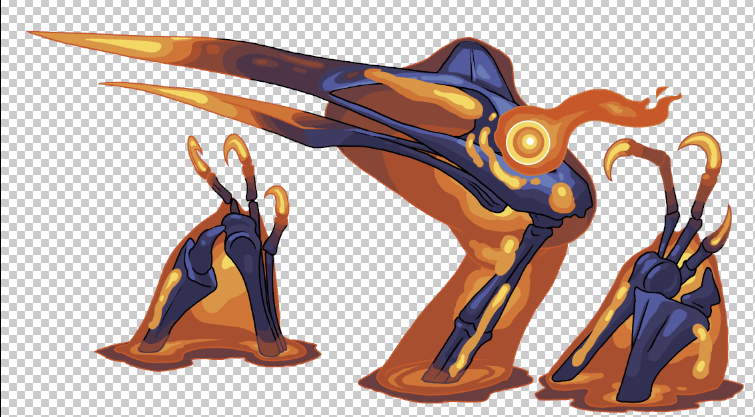 So, my first attempt positioned Quetzy as proportionally accurate to the T. rex god. But it just doesn't really look like...anything? Not even a pterosaur. What my partner correctly sussed out was that people are going to expect a flying reptile to, you know, have wings? I guess?
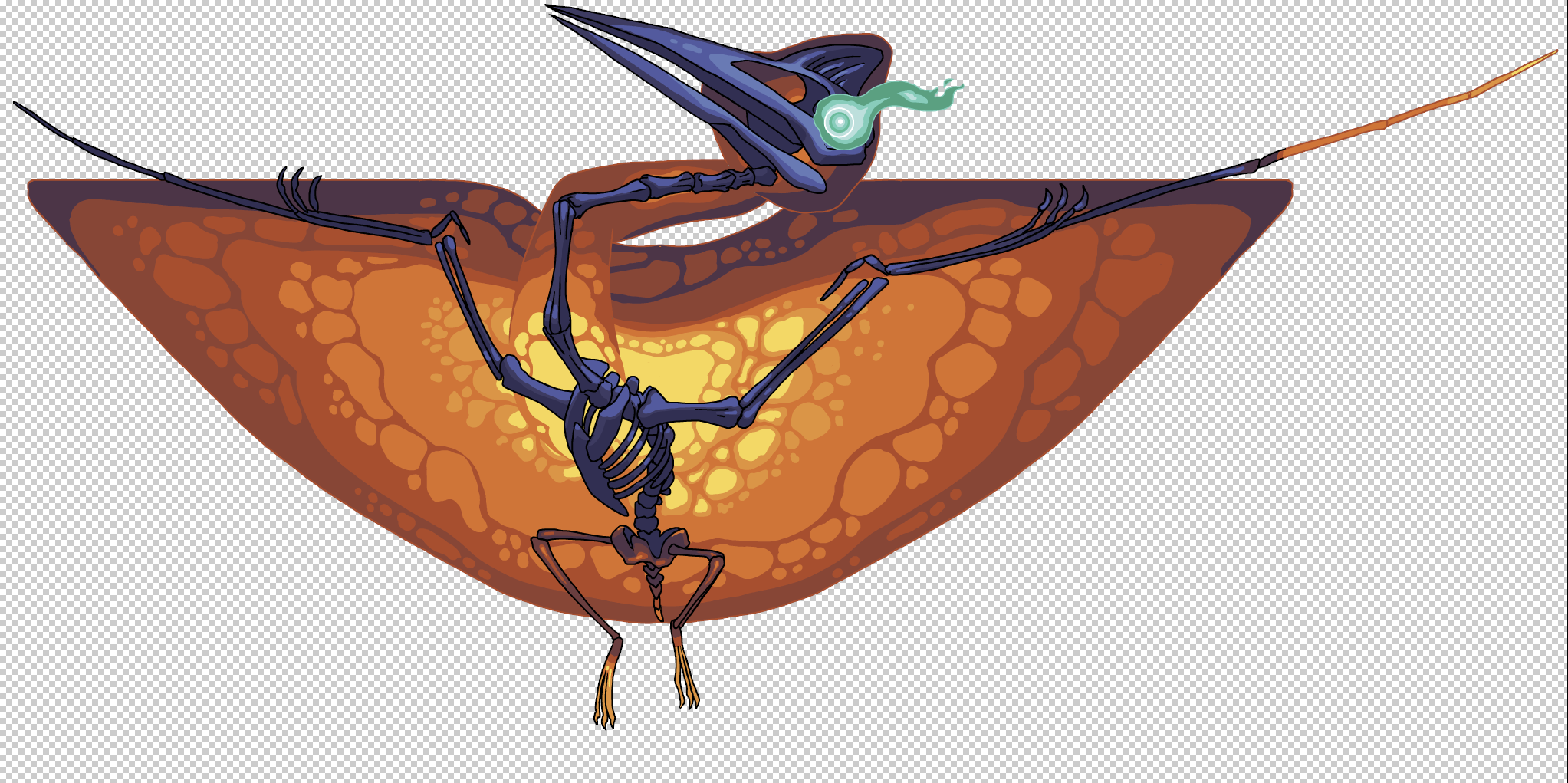 My second attempt for the day was a slightly more complex full-body rig. I drew the wing membrane with Symmetry brush instead of directly drawing it onto the bone wings, hoping to get a mesh and some weights on it and see how drawing it this way makes it easier to animate. I initially started out coloring the lava minty-green but then rethought that. If the player encounters this god first (which they most likely will) then they really need to clock that these entities are made out of lava and come from deep within the volcano. But, I feel like having a green eye works to indicate that the green idol and green symbols are related to this god.
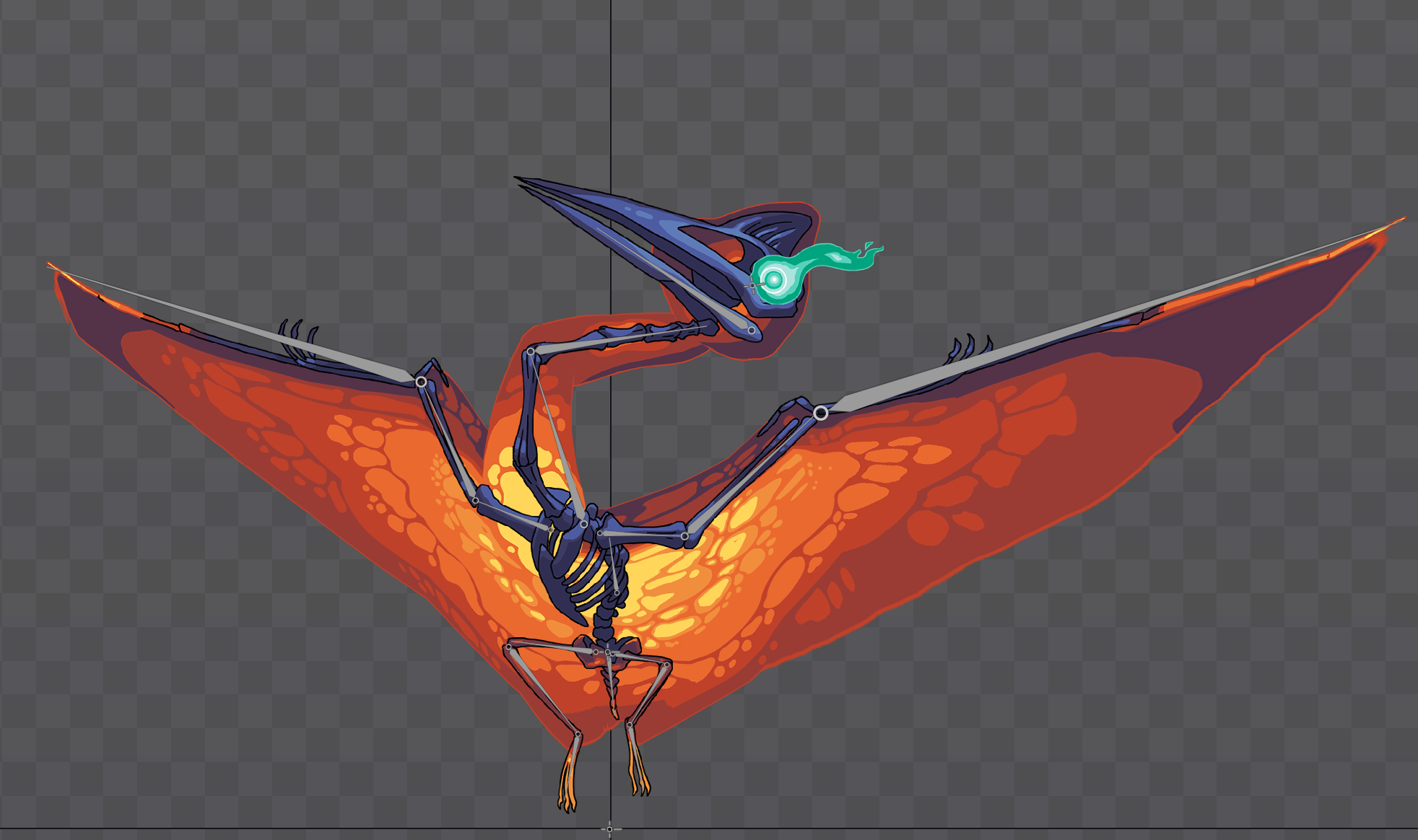 Here's how it rigged up. The wing membrane worked exactly how I wanted it to work.
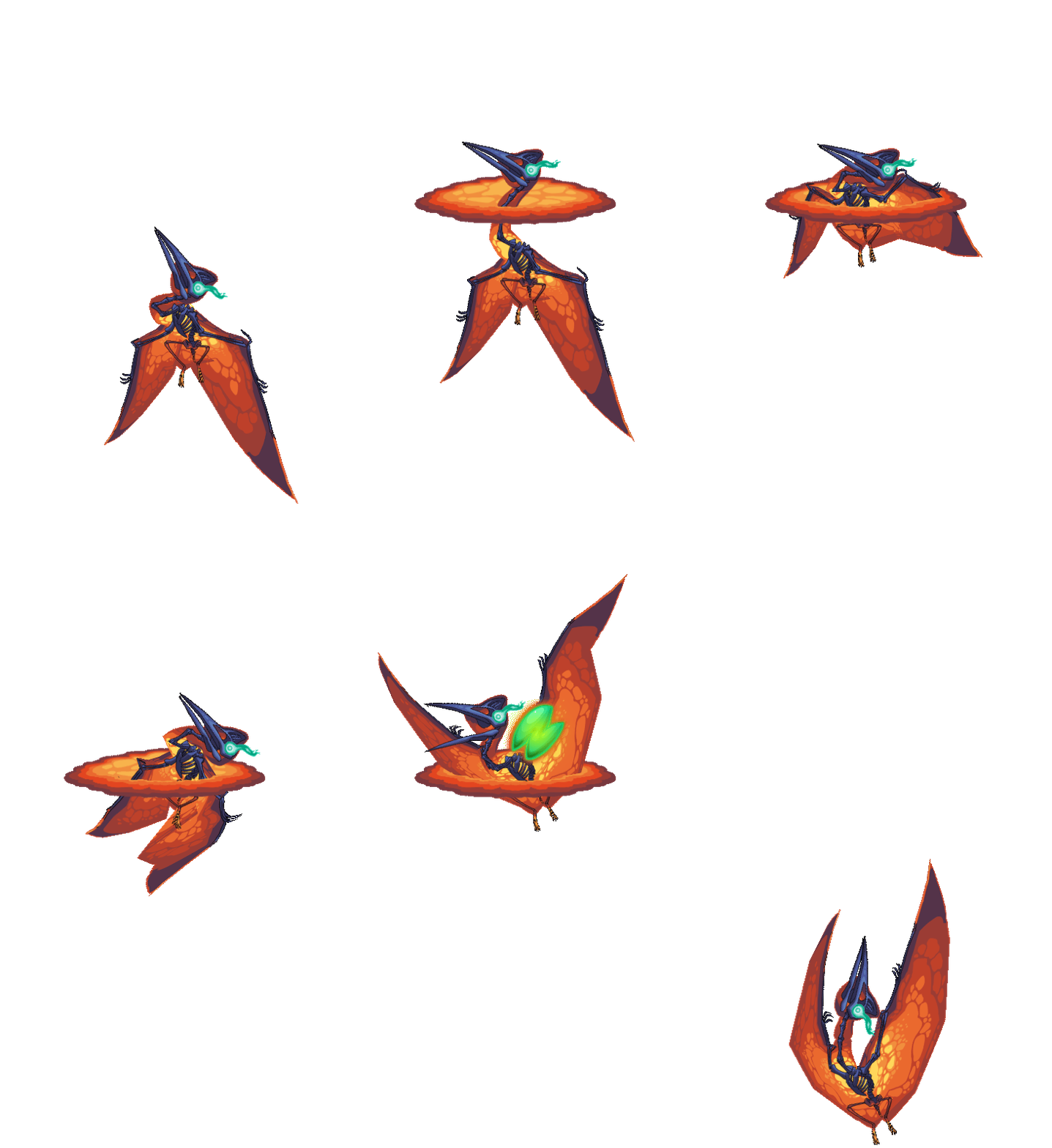 My first attempt at animating Quetzy didn't quite have the impact I wanted, but it was a start. It worked for awhile as we tested the game out.
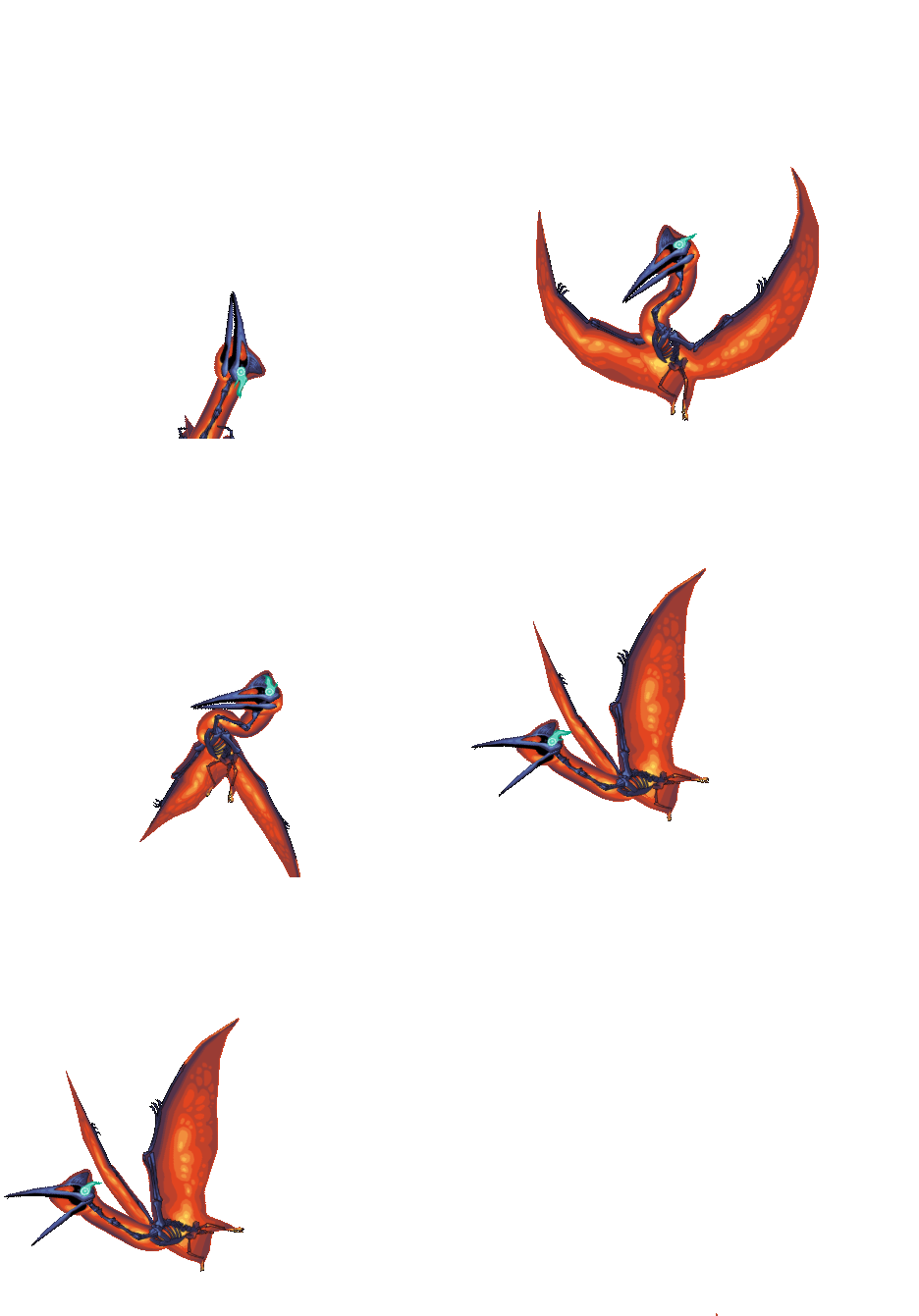 I eventually made the Quetzalcoatlus fly out of the volcano, offscreen. It crashes back down to screech and blow up players. As for why this is the god I want players to see first in any random given game, the idea is for players to form a connection between the shape of the idol in the middle of the volcano, the god who appears, and then decide to stick around to see the T. rex, which is the second-most aggro, very popular dinosaur, and relatively easy god to see.
Dunkleosteus God
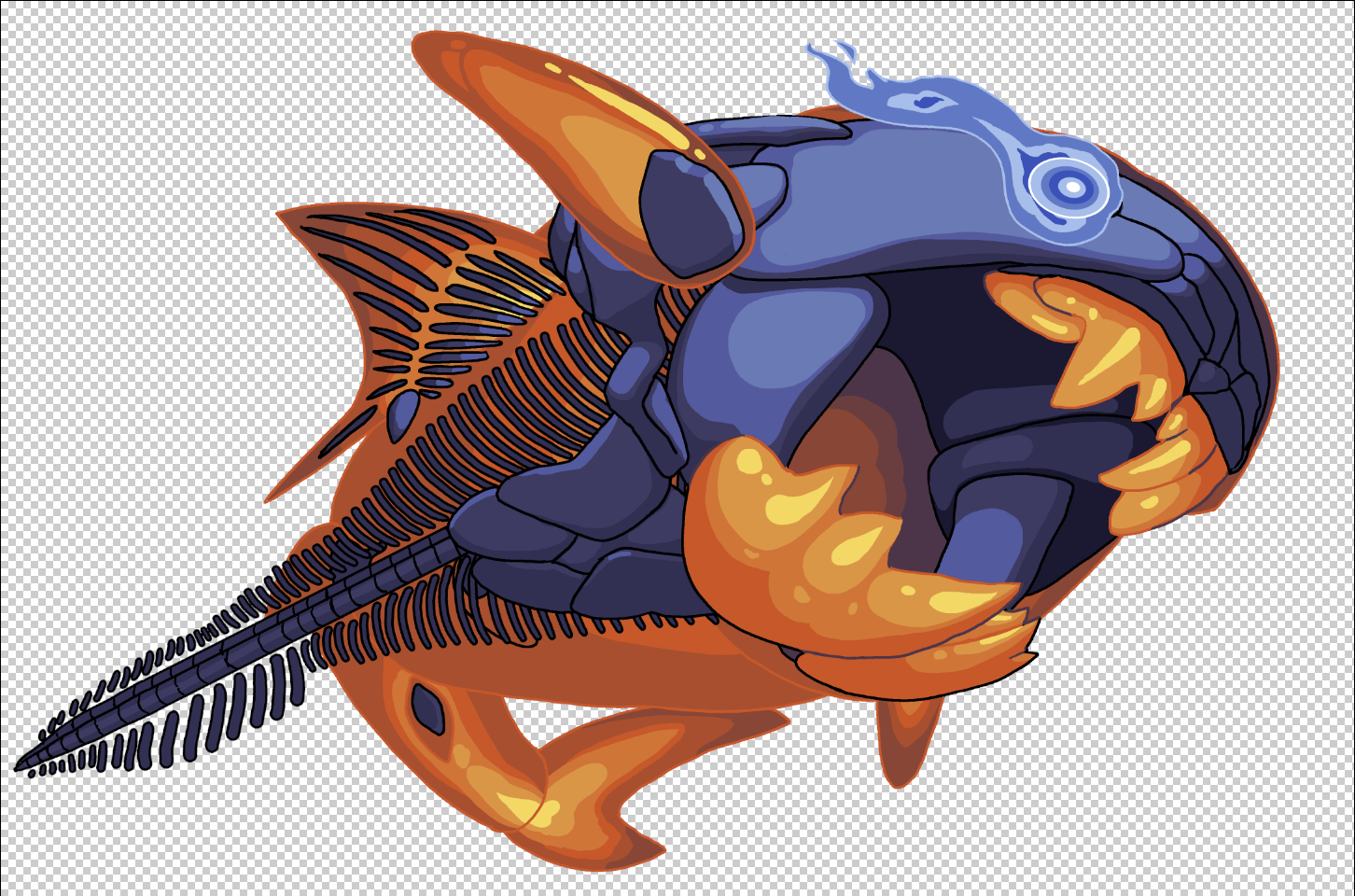 The next god I made was the blue Dunkleosteus. I had a feeling I'd want to bend the vertebral column both ways, so that's why it was drawn stiff, un-posed.
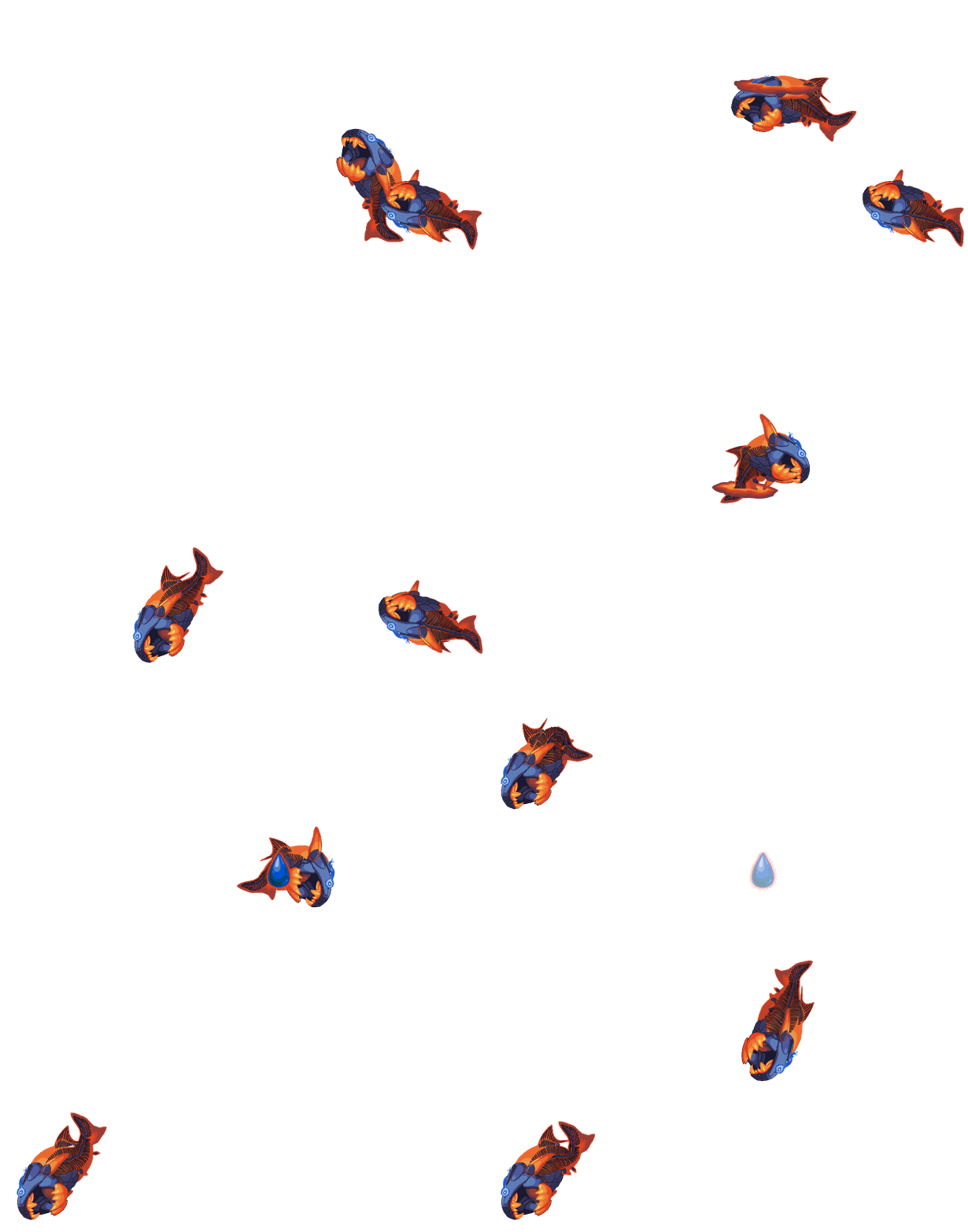 The Dunkleosteus required that I learn how to animate along Path constraints in Spine. First, I had to draw a Path with a bezier curve tool. Then I had to create a Path constraint on all the bones in the Dunkleosteus’s spine and attach them to that Path. After that I had to scream at my computer and flip my desk upside-down because it didn’t attach the way I thought it would (putting the tail on the opposite end I wanted it to swim!) but eventually I beat the rig into shape. If you asked me how I managed to get this fish to behave I honestly wouldn’t be able to tell you.
 Finally I created three masking shapes that Devin popped in for the Dunkleosteus to vamp before it leaps out of the water like Jaws rawrrgh argh argh.
Brachiosaurus God
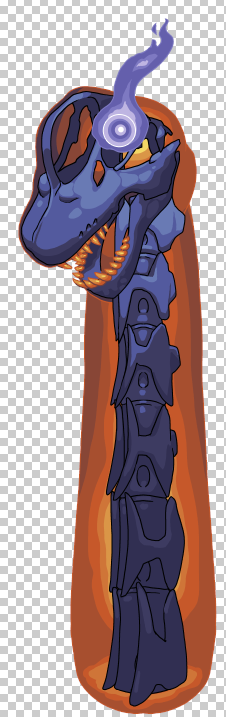 The final god was...a glorified PEZ dispenser. Forbidden candy. Obvs the neck is supposed to bend, it just...isn't, during the mother of all T-poses.
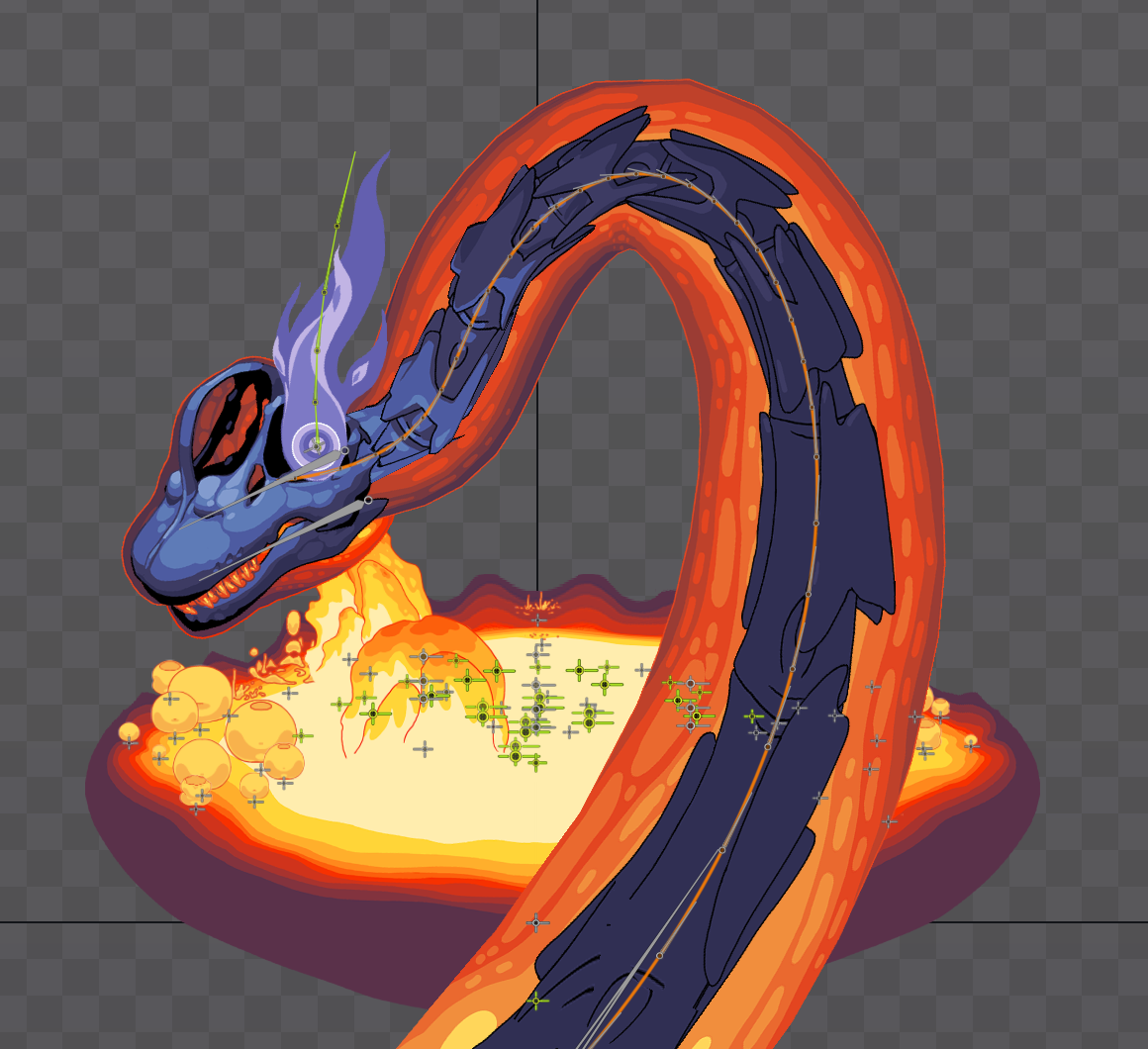 This god also lended itself well to a path constraint. It took some jimmying to get this god to fit inside of the game board while still seeming ‘tall’. People still mistake it for a boa constrictor, but I know in my heart that this is a brachiosaur.
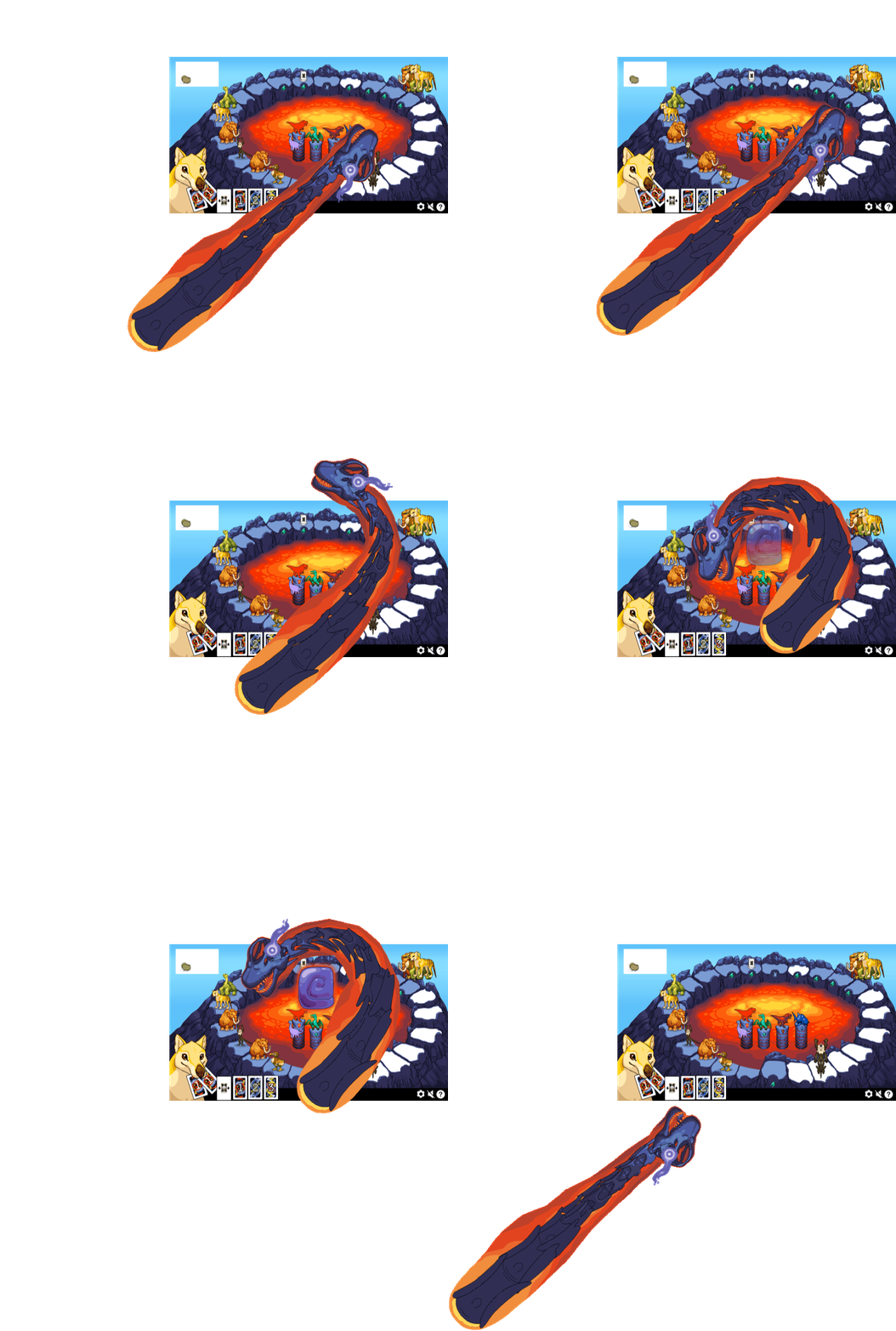 I used a screenshot of my working psd to frame the brachiosaurus properly. This wound up being very accurate to how it was drawn in-game, so I will use this technique in the future.
 Here's my beautiful brachiosaur, just waiting to sneeze gobs of lava onto a vegetarian girl in one of Jurassic Park's trees.
#Impact of Gods on the Pre-existing Lava Pool Asset and animations
The gods rising out of the pool proved to look very exciting. After each god left the screen, they would blow up spaces around the board. We wanted to have the animals blow up at the same time as the eruption but it lacked clarity. A lot of times animals were hidden behind gods popping out of the volcano, so erupting player spaces needed to happen after big eruptions. That way nobody would be like, “Where did my animal go?!” In the aftermath.
It did feel weird that the lava pool remained in idle mode during eruptions. In my head I’d always imagined lava spewing out. This still seemed like a good idea so I set to work.
The lava pillars actually all disappear during an eruption, no animation required. There’s so much other stuff happening that you’d probably never notice until you read this right now.
The whole island goes dark…except for the player pieces about to get smited :) This was handled by Devin but I later learned ways to do it myself in Spine by animating slot colors.
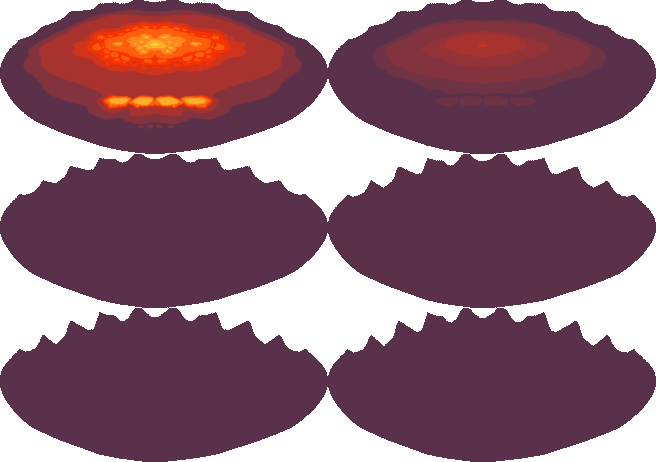 The lava pool ‘retracts’ most of its color and animation, to help set the stage. It’s like turning out the lights right before a big reveal. I animated each of these states frame-by-frame. I wasn’t feeling comfortable enough with Spine to try and do it with weighted meshes on top of a big weighted mesh, but if I were to re-do this, I’d give that a whirl instead.
 I animated this bubble frame-by-frame at a bar on my iPad while Devin was playing a Magic the Gathering tournament. Repeating this bubble and varying its size gave the lava more of a hostile liquid feel prior to eruption. This smaller graphic was used to mark where a lavapillar fully sunk into the pool, and to mask its magmatic 'base' so that wouldn't look like it was missing something.
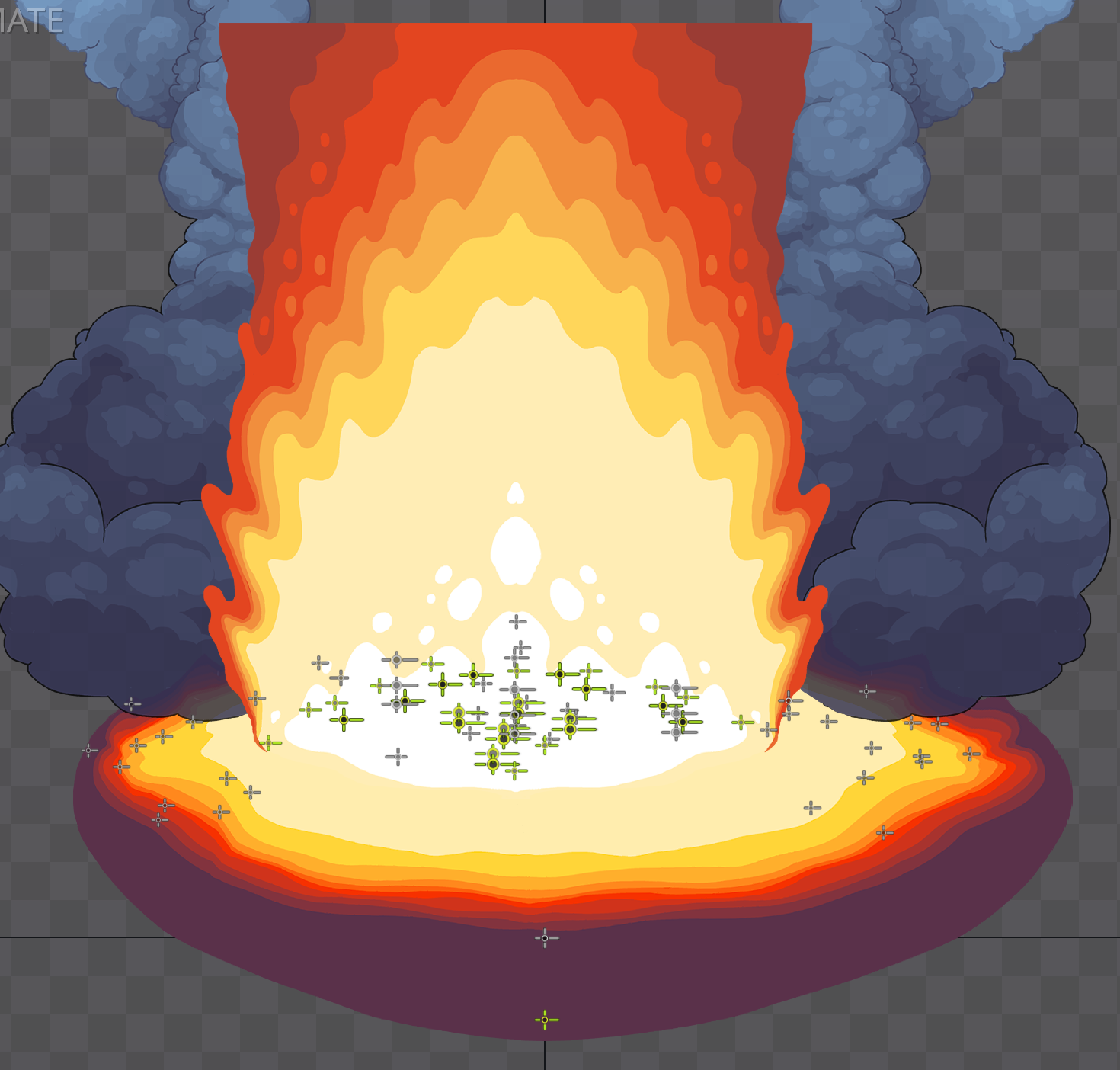 What’s an eruption without a pillar of fire and some smoke? To save space, I only drew half of this lava pillar and copy/pasted/flipped it in Spine onto the same slot.
Attaching all these to the delicate lava pool mesh was a little nerve-wracking, but hopefully nobody notices how wobbly all the attachment bones are! And if you do notice...no you didn't. I said nothing.
Even the Gods Can Whiff
Quite some time after creating these gods, animating them, and putting them into Unity, I got the request to create ‘Whiff’ animations for when the gods don’t blow anyone up. This was so funny to imagine I just had to do it, even though I was very nervous about using the same rough rigs for new animations.




Turns out I didn’t really need to worry. I …didn’t!… whiff this one!
Two Gods at Once?
Later after lots of testing with the god animations in place, we got feedback that the game felt more like it was being watched than played. I suggested that eruptions involving two gods at once go off at the same time, instead of one after the other. This turns a double eruption from one really long boring event into something that seems rare and exciting.
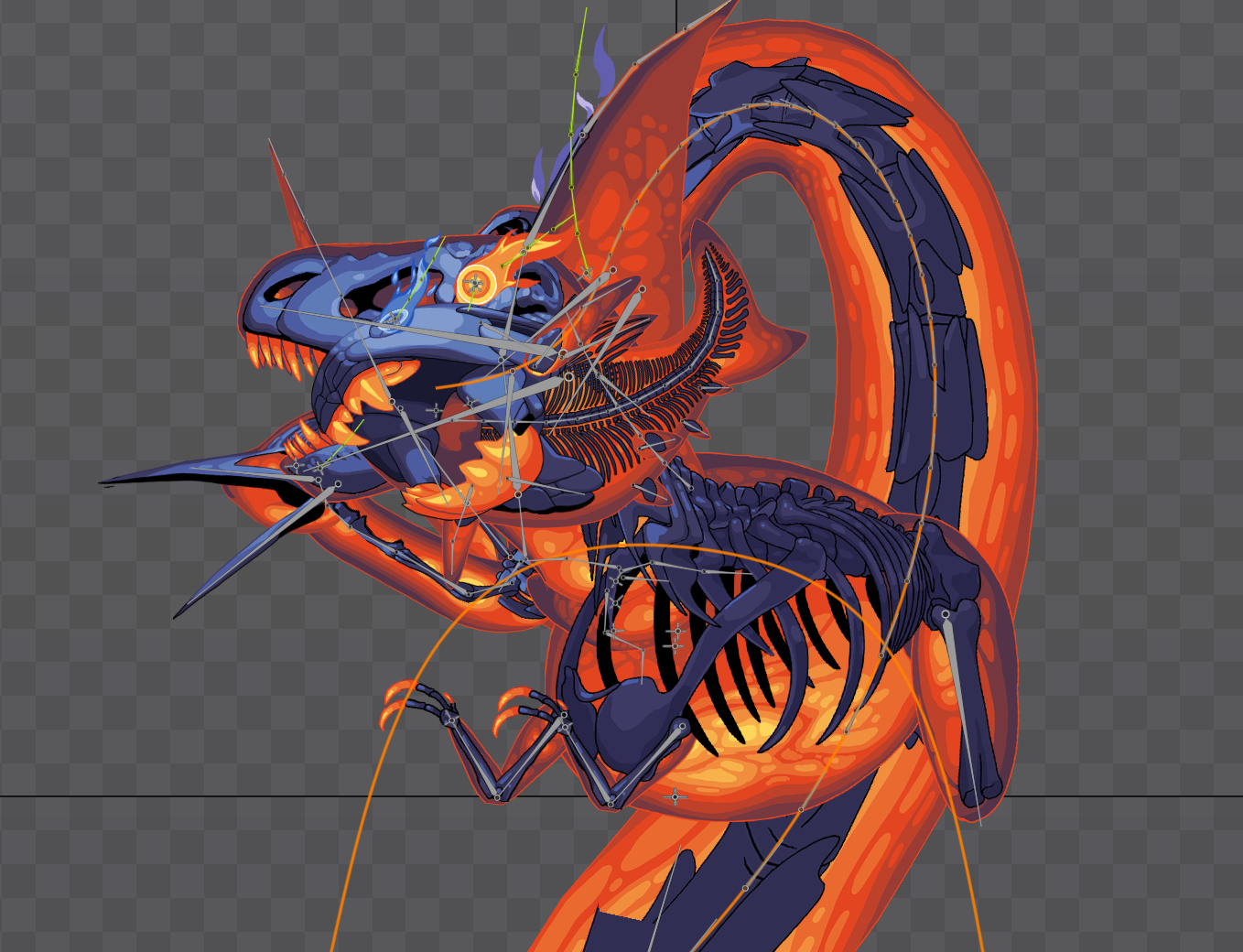 The way I designed double eruptions was to make sure each god’s head was in a slightly different place. I layered their eruption animations on top of each other and adjusted head positions at the moment they each roar. For the final step, we decided to flip one god so that they were further out of each other’s way. This allows players to perceive both gods at once because the silhouettes remain relatively uncluttered, even though there’s a lot going on.
Designing all the gods first may have seemed counterintuitive since they have to be the big, bad capstone moment of the game. Someone might think they should be created last, after acquiring the skills necessary to make the gods really shine. However, I don’t regret going into character design and animation gods-first. The rigs and animation requirements were a lot simpler.
Next on Volcango Devlog:
Four little animals. Tons of animation. Self-imposed deadlines, taking breaks, and figuring out Devin’s workflow so I don’t leave him hanging.